


Glary Undelete 5.0.1.19 – Fast and Effective Deleted File Recovery Tool
Glary Undelete 5.0.1.19 is a useful utility that provides a fast and effective way to recover files that were accidentally deleted.
Key Features
- Supports the following file systems: FAT, NTFS, NTFS+, and EFS
- Supports recovery of encrypted, fragmented, and compressed files on NTFS
- Recovers files from portable and removable devices
- Filters files by name, creation date, size, and recovery status
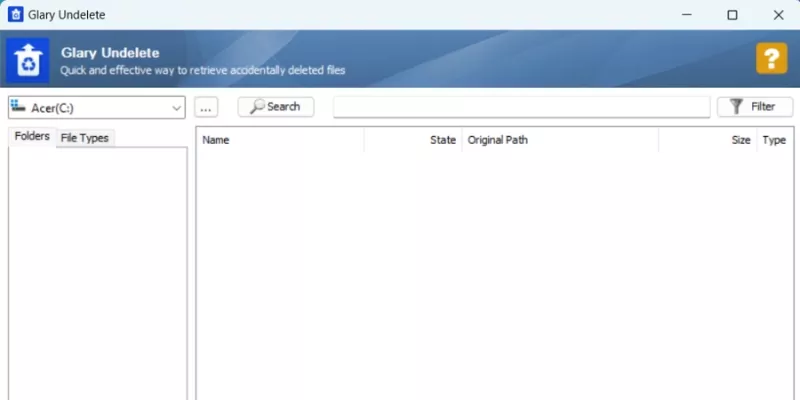
- Simple and user-friendly interface
Accidentally Deleted Your Files?
Sometimes you may accidentally delete important files without realizing that you might need them later. These files may include images, documents, or even music files that you later regret deleting. With Glary Undelete, you can recover deleted files quickly, easily, and effortlessly. The software allows you to scan drives to find the files or folders you need and restore them in just a few clicks.
Lost Photos on an SD Card?
SD cards are commonly used to store photos taken by digital cameras such as Canon, Nikon, or Sony. Even if you delete photos using the Format option, they are not permanently erased from the SD card. The same applies when you use the Delete All option on a digital camera.
However, once you delete or format an SD card, the best thing you can do is stop taking photos immediately. With the help of Glary Undelete, you can easily recover deleted files. Glary Undelete is a powerful program that can restore deleted files, including photos, music, and other data types.
Easily Recover Files from Local Drives or External Devices
Glary Undelete can scan all sectors of a drive to locate a large number of deleted files. When a drive index is damaged, other parts of the drive may also be affected. Glary Undelete displays a list of deleted files that can be recovered and provides a recovery success rating such as “Very Good,” “Good,” “Medium,” or “Poor.”
With file filtering features, you can narrow down the list by file type, file size, deletion date, and file condition. Finally, simply select the files you want to recover and click the Restore button.















Reviews
There are no reviews yet.