


Q-Dir – Advanced File Manager for Windows
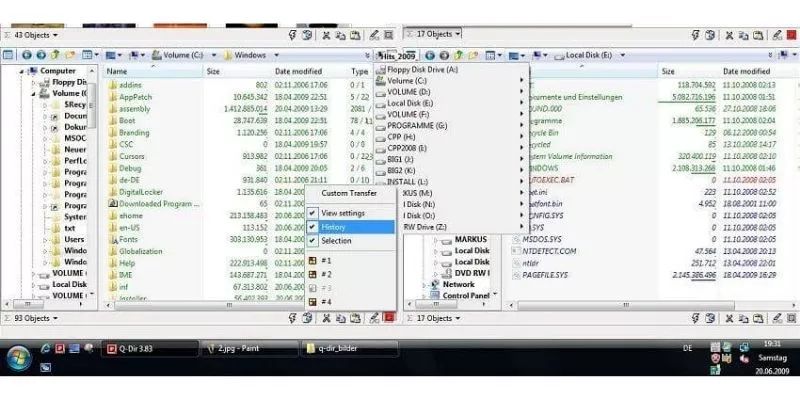
Q-Dir is an advanced file management software and an enhanced alternative to Windows Explorer, designed to meet the diverse needs of many users. File management in Q-Dir is fundamentally similar to Windows Explorer but offers a much richer set of features.
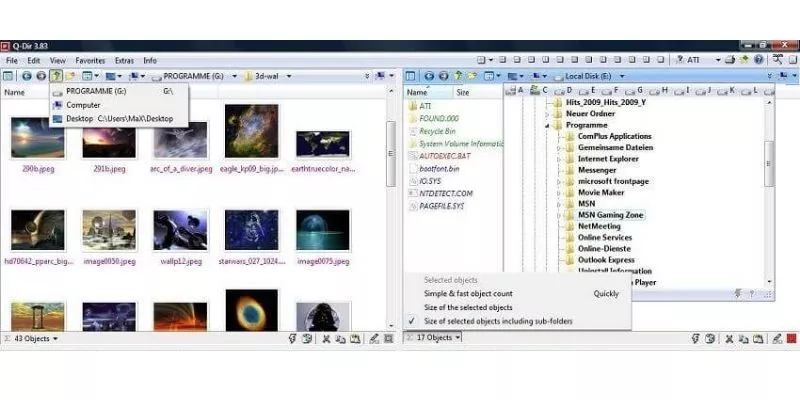
The “Q” in Q-Dir stands for Quad, meaning it features a four-pane interface that allows users to work with four interactive file manager windows simultaneously. This layout can be customized to suit different user preferences. Q-Dir can be installed directly on the hard drive or used as a portable application on mobile devices.
Like many advanced file management tools, Q-Dir includes preview filters, drag-and-drop support, clipboard operations, color filters, and the ability to export file lists to formats such as XLS, CSV, TXT, and HTML. While its basic file management works similarly to Windows Explorer, Q-Dir delivers far more powerful and flexible functionality.
Key Features of Q-Dir File Manager
- Favorites: Quick access to frequently used folders.
- Preview Filter Settings: Easily customize preview filter options.
- Drag & Drop: Move files by dragging them within Q-Dir or between Q-Dir and other Explorer windows.
- Clipboard Support: Copy and paste files between Q-Dir windows and standard Explorer windows.
- Folder Types: Supports ZIP, FTP, cabinet, network, system folders, shortcuts, and more.
- View Modes: Large icons, tiles, list, details, thumbnails, and preview views.
- Export Options: Export file lists to XLS, CSV, TXT, and HTML formats.
- Context (Popup) Menu: Integrated system context menu.
- Zoom & Scaling: Zoom and expand content across the entire screen.
- Color Filters: Assign different colors to different item types.
- Highlight Filters: Highlight files based on file extensions.
- Fast File Filtering: Quickly and easily filter files.
- Columns: Customize and save column layouts.
- Quick Links: Instant access to folders.
- Folder Selection: Flexible folder selection via address bar or menu.
- Multi-INI Support: Saves settings across multiple INI files.
- Technology: Quadro-View interface.
- Directory Tree View: Integrated folder tree navigation.
- File Preview Support.
- No Installation Required: Can run as a portable application.
- Printing Support.
- Folder Size Columns.
- Settings Switching.
- Faster Editing.
- File Merging.
- Tree View Auto-Expand: Automatically expands folders in tree view.
















Reviews
There are no reviews yet.