


Unlocker 1.9.2 – Delete Locked Files and Folders on Windows
Unlocker 1.9.2 helps you remove files or folders on Windows that cannot be deleted using normal methods.
If you have ever tried to delete a file and received error messages saying it cannot be removed, Unlocker provides a simple and effective solution.
Common Windows error messages include:
- Cannot delete file: Access is denied.
- There has been a sharing violation.
- The source or destination file may be in use.
- The file is in use by another program or user.
- Make sure the disk is not full or write-protected and that the file is not currently in use.
Key Features of Unlocker
- Lightweight and easy to use.
- Rename, move, or delete locked files with one click.
- Simple and effective interface.
- Completely free.
Unlocker integrates into the Windows Explorer context menu, allowing you to unlock files directly when errors occur.
It supports most Windows versions, including 64-bit systems. During installation, carefully skip optional bundled software.
Overall, Unlocker is an essential tool for Windows users dealing with locked files. It is lightweight, free, and highly effective.
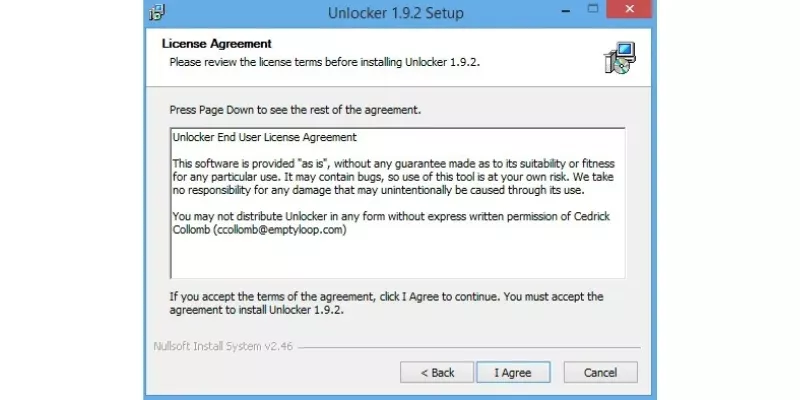
Locked file and folder remover Unlocker
How to Use Unlocker
Step 1: Download and Install
Download Unlocker and run the installer. Carefully skip any optional software offers during installation.
Step 2: Delete the File
Right-click the locked file or folder, select Unlocker, and wait for the tool to release the locks.
Step 3: Unlock Files
Click Unlock to unlock a selected file or Unlock All to unlock all locked processes.
Latest Unlocker Updates
Unlocker 1.9.2
- Improved installer for 32-bit and 64-bit systems.
- Fixed minor memory and performance issues.
Unlocker 1.9.1
- Added deep directory deletion support.
- Improved UI and progress bar display.
- Fixed issues with long paths and update mechanism.
Unlocker 1.9.0
- Full 64-bit support.
- Improved performance and UI updates.
Unlocker 1.8.9
- Fixed Windows 7 compatibility issues.
- Resolved multiple UI and memory bugs.
- Improved file deletion behavior.














Reviews
There are no reviews yet.