


Free all-in-one video editor for everyone
CapCut is a free video editing program that enjoys unprecedented success among users of social networks, particularly in short-form sections such as Instagram Reels, YouTube Shorts, and TikTok – making their perfectly edited short videos easy-to-produce.
While there are professional video editing programs like Final Cut Pro X or Adobe Premiere Pro, to carry out any type of editing, you’ll have to invest a lot of time figuring out how to do so. Thus, simpler apps like CapCut offer a middle ground between the wide range of features of a premiere editing program and the basic, built-in editing tools of apps.
Easy-to-learn with comprehensive features for free
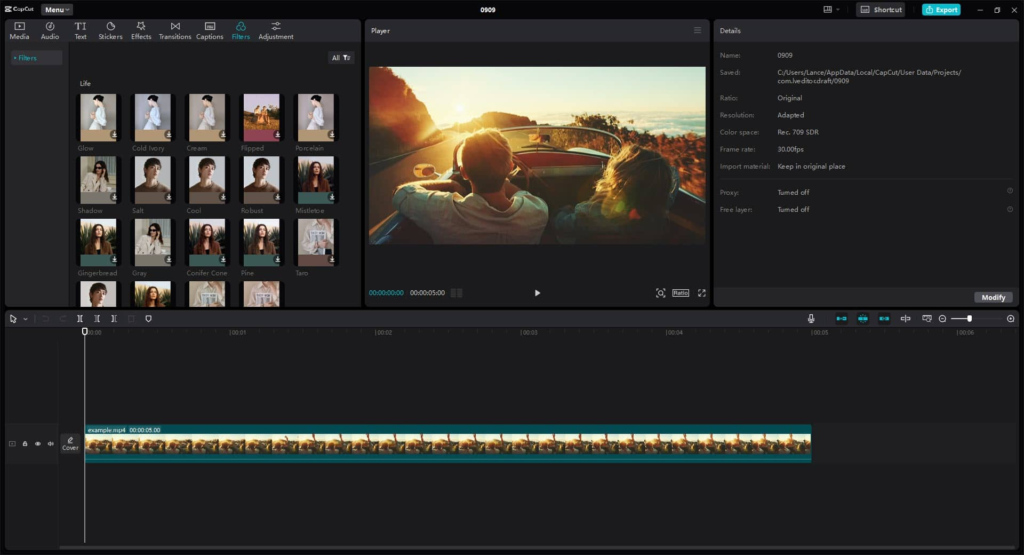
With CapCut, you can upload the video you want to edit and change basic settings such as brightness, tone, and saturation of the clips you want to edit—all without paying a cent. This video editor also allows you to add endless stickers, filters, masks, sounds, and even copyrighted music without any problem thanks to its integrated gallery. The final output results in high-resolution videos of up to 4K HDR.
What’s more, it also allows you to add completely customized backgrounds, animations to the titles you create, and transitions for texts and images. In addition, you can automatically change the speed of the image in certain sections thanks to the Auto Velocity function. While it’s mostly used for vertical videos, you can still employ the features of this software for editing horizontal clips for online posting.
AI features that automate multiple aspects of editing
One of CapCut’s most popular options is its text-to-speech function, compatible with nearly 93 languages. Adding to this useful and popular function are the voice changer and video translator functions powered by fully AI components, helping you develop content that reaches worldwide while altering your audio the way you want. Additionally, it guarantees a secure editing environment for users, as it protects data uploads through powerful data encryption.
Recent CapCut updates have introduced several notable enhancements focused on AI driven editing. Patch notes highlight improved AI auto captions accuracy, expanded text to speech voice options, and enhanced background removal for more precise subject detection. Developers also added new cinematic filters, upgraded motion tracking stability, and improved export speed for 4K videos. Additional updates refined cloud synchronization reliability and added collaborative editing tools for shared projects.
A powerful editor built for the social media era
CapCut stands out as an accessible yet feature rich video editor that bridges the gap between beginner tools and professional software. Its AI powered features, high quality exports, and intuitive workflow make content creation fast and approachable for everyday users. While limitations like export restrictions and project length caps exist, its free toolkit and constant updates make it one of the strongest choices for modern mobile video editing.

















Reviews
There are no reviews yet.