

Microsoft Word 2019 – Professional and Efficient Word Processing Software
Word 2019, also known as Microsoft Word 2019, is a powerful and professional word-processing tool included in the Microsoft Office 2019 suite developed by Microsoft.
What’s New in Microsoft Word 2019
Microsoft Word 2019 introduces many new ways to create and manage documents, including pen and ink features, book-like page navigation, Learning Tools, and translation capabilities. Below are the most notable improvements in Microsoft Word 2019:
Easier Reading and More Natural Writing
Whether you are reading or writing in a language you are not fluent in, or simply want a more comfortable reading experience, Word 2019 helps improve comprehension and communication.
If you are using a device that supports a digital pen, you can take advantage of it to draw and write by hand. For users who frequently work with formulas, LaTeX syntax support will be especially useful.
Breaking Language Barriers
Translate words, phrases, or entire sentences into another language using Microsoft Translator, directly from the Review tab on the ribbon.
Improved Reading Experience
Reduce eye strain by adjusting text spacing, column width, page color, or by listening to Word read documents aloud while highlighting text as it reads.
Draw and Write with a Digital Pen
Customizable pen tools allow you to write naturally in documents. Highlight important information, draw shapes, convert ink to shapes, or even solve math problems.
Use LaTeX Syntax for Equations
Microsoft Word now supports LaTeX mathematical syntax for creating and editing equations. Simply choose the LaTeX format from the Equations tab.
Enhanced Visual Impact
With a rich library of icons and 3D images, you have many creative ways to add visual appeal to your documents.
Insert Icons and SVGs
Add scalable vector graphics (SVGs) and icons to documents, customize colors, apply effects, and resize them easily to suit your needs.
View Every Angle with 3D Images
Easily insert 3D models and rotate them 360 degrees to view all angles. Readers can also interact with these models.
Improved Accessibility
Microsoft Word 2019 ensures documents are accessible to everyone and boosts productivity with enhanced accessibility tools.
One-Click Accessibility Fixes
The Accessibility Checker has been significantly improved with international standards support and practical suggestions that make documents easier to access for users with disabilities. Fix issues directly from the task pane with just one click.
Sound Effects Support
Sound effects can improve productivity by providing audio cues while you work. Enable them in Options > Ease of Access. No add-ins required.
Easier Document Navigation
Microsoft Word 2019 offers a book-style reading experience and makes it easier to locate documents received as email attachments.
Side-to-Side Page View
Instead of continuous scrolling, flip pages like a book using Side to Side view. On touchscreens, swipe with your finger to turn pages. On non-touch devices, use the horizontal scroll bar or mouse wheel.
Microsoft Word 2019 Review
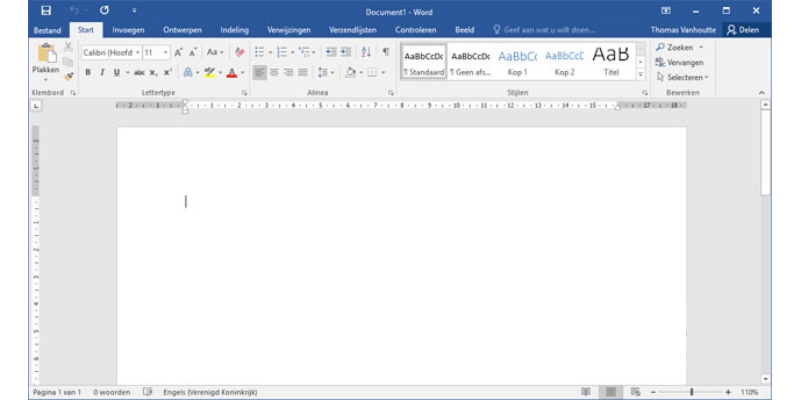
Word 2019 is a traditional word-processing application known for its stability and essential features, suitable for students, office workers, and professional writers.
Strengths
- Friendly, easy-to-use interface with an intuitive ribbon and familiar tab-based layout
- One-time purchase with lifetime use (no monthly subscription like Office 365)
- Full-featured traditional word processor supporting Styles, Table of Contents, Track Changes, and Comments
- Advanced formatting tools ideal for reports, theses, contracts, and official documents
- New features compared to Word 2016, such as Draw tools, improved LaTeX equations, Focus Mode, and support for SVG and modern icons
- Stable performance with minimal bugs despite infrequent updates
Weaknesses
- No AI integration or cloud-based services
- No Microsoft Copilot virtual assistant
- Does not support advanced AI-powered Editor features found in Office 365
- No real-time collaboration for simultaneous document editing
Conclusion
Overall, Microsoft Word 2019 is a reliable and professional word-processing application for desktop users. With many enhancements and new tools, Word 2019 helps users work more efficiently and conveniently when creating, editing, and sharing documents.












Reviews
There are no reviews yet.