

With all the threats that lurk at every corner in the online world and the ever-increasing malware attacks, it is no wonder that users are looking for additional protection tools to work alongside their permanent security solution.
Developed by GlarySoft, Malware Hunter is an optimization tool designed to identify potentially dangerous and suspicious content on your computer, while also providing system speedup and cleanup features.
Scan your computer to find potential threats
It is worth noting that Malware Hunter does not function as a full-featured antivirus, but it can help prevent infections and assist with post-infection cleanup. You can run on-demand scans to detect files and content that may pose security risks.
Malware Hunter offers three scan modes. The Quick Scan targets key system areas such as startup items, drivers, common apps, and the registry. The Full Scan performs a deep analysis of the entire system. You can also run a Custom Scan to check specific folders or files.
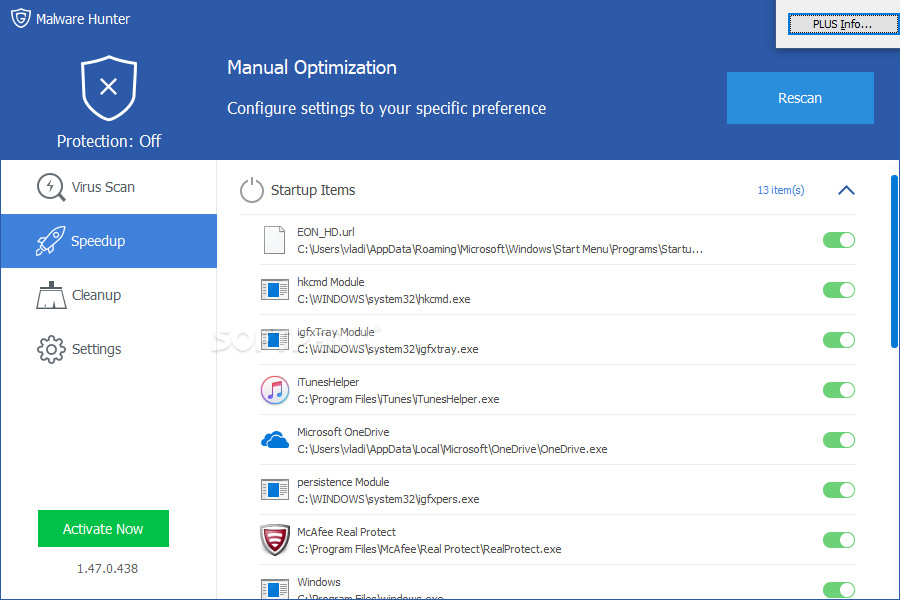
Malware Hunter interface
System optimization and cleanup tools available
In addition to security scanning, Malware Hunter includes system optimization tools that help manage startup items, scheduled tasks, system services, plug-ins, and network performance to improve overall PC efficiency.
The built-in cleanup tool removes unnecessary and unwanted data, freeing up storage space and improving system responsiveness.
However, advanced users may find the cleanup process lacks transparency, as it does not clearly display which registry entries or items are removed during maintenance.
On-demand scans, system optimization, and cleanup in a single tool
Despite its name, Malware Hunter is not limited to threat detection. It combines three types of on-demand scans with system optimization and cleanup utilities to help maintain peak PC performance. While it lacks detailed transparency, the tool is easy to use and enhances protection against online threats.















Reviews
There are no reviews yet.