


TeamSpeak 3 (Client) is an internet-based voice communication application designed for groups needing to speak in real time with minimal latency, such as gamers, work teams, or communities requiring continuous collaboration. On TeamSpeak 3 (Client), you can create your own private server so friends or colleagues can connect, minimizing latency and giving you complete control over privacy, channel structure, and user accessibility. Its focus on efficiency and audio quality makes it a particularly reliable tool if you’re looking for clear and consistent communication.
How TeamSpeak 3 (Client) works
To use TeamSpeak 3 (Client), simply connect to a public or private TeamSpeak server, then access voice channels where you can talk to other users also in that room. You can configure a key to manually activate the microphone or use automatic voice detection, depending on your preference and environment. The application features echo cancellation, noise reduction, and automatic gain adjustment, achieving significant audio clarity even with basic microphones.
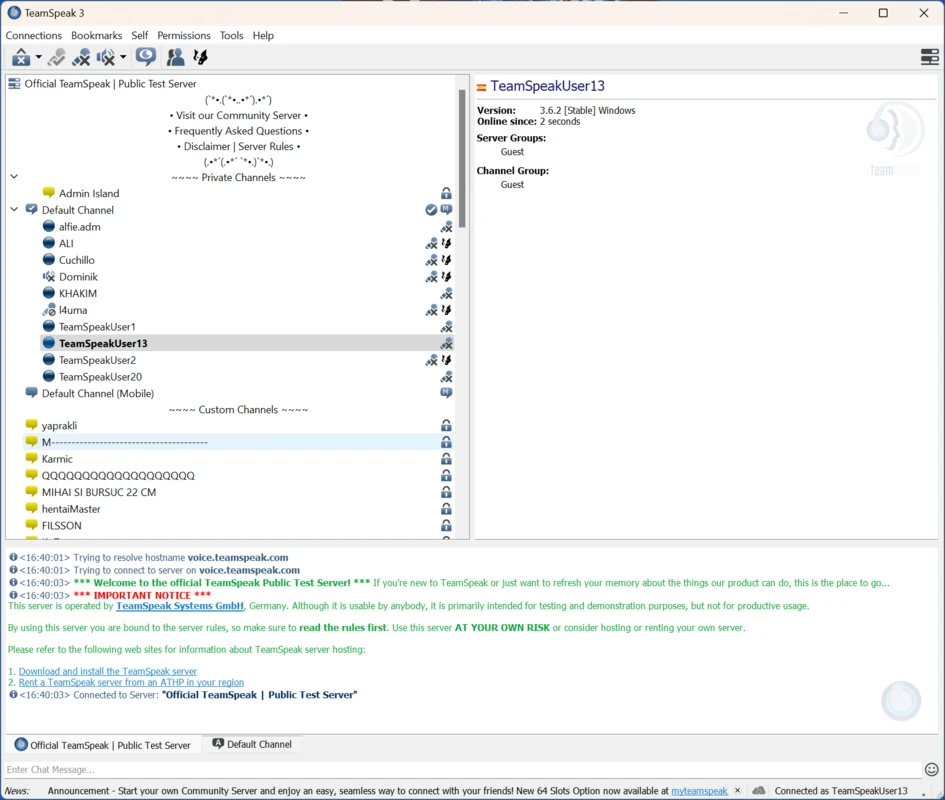
Server, channel, and permission management
TeamSpeak 3 (Client) is based on a client-server model: clients connect to a server managed by a community, a gaming group, or a company. Within the server, you can create channels, organize subchannels, and set permission hierarchies to determine which users can speak, move between rooms, or manage the environment. The control structure is highly granular, allowing for the design of organized communities and clearly defined work environments. Administrators can set who has permission to connect, define listen-only channels, limit access, or assign special privileges. Thanks to its flexibility, this system can be adapted to suit both large communities and small groups that value complete control over their conversations. On macOS, myTeamSpeak also allows you to synchronize bookmarks, passwords, and personal settings across different devices.
Text chat, file transfer, and additional features.
In addition to voice communication, TeamSpeak 3 (Client) integrates a text chat system that supports global, channel, or private conversations. This facilitates the exchange of links, notes, schedules, and instructions without interrupting the voice conversation. Furthermore, it allows direct file transfer between users or to the server, simplifying the exchange of maps, documents, or screenshots without the need for external services.
Interface for a personalized look
This client includes many extensive customization options. You can install themes, change image layouts, adjust audio parameters, or add plugins to suit your needs. On macOS, these extensions must be compatible with your system version to function correctly. If you play in full-screen mode, the overlay allows you to see who is speaking without leaving the game.
My experience using TeamSpeak 3 (Client)
TeamSpeak 3 (Client) has worked great for me when playing with friends. Whether you set up your own server or use an existing one (like the official TeamSpeak server), the connection is stable and the audio is clear. The ability to set up a private server allows you to have the lowest possible latency if the server is located nearby and if all team members are in the same area. Compared to services like Discord , which rely on centralized servers, TeamSpeak 3 (Client) lets you better take advantage of geographical proximity.
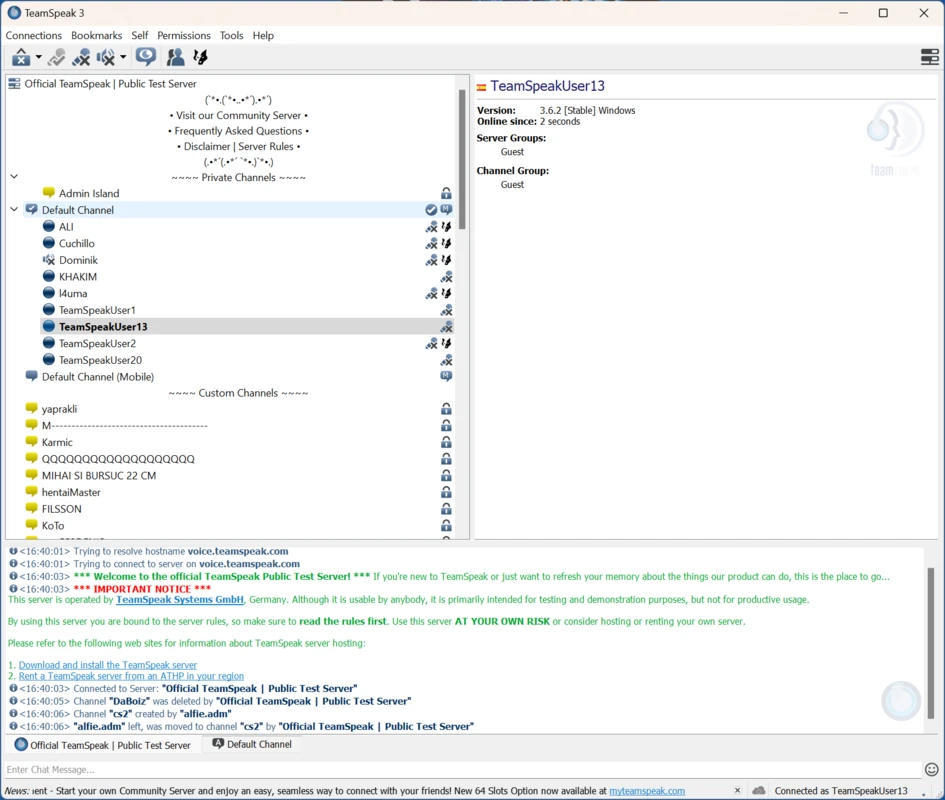
What I like most about TeamSpeak 3 (Client) and what could be improved
What I like most about TeamSpeak 3 (Client): the combination of voice and text chat with very low latency in one place. The ability to create your own server, assign detailed permissions, and sync bookmarks via myTeamSpeak makes it ideal if you value autonomy and privacy. The audio is clear and the application consumes few resources, so it can run in the background without impacting your Mac’s overall performance.
What I’d like to see improved about TeamSpeak 3 (Client): the interface, which is somewhat austere compared to more modern applications. While it works well and is easy to use, it can feel outdated. TeamSpeak 6, for example, offers a more modern presentation, similar to platforms like Discord, while still maintaining the philosophy regarding private servers.
TeamSpeak 3 (Client) is for you if
– You need a low-latency voice tool for group gaming or project collaboration.
– You want to organize large communities with integrated channels, access, and text chat.
– You prefer a system based on your own server or dedicated server rather than relying on a centralized platform.
Download TeamSpeak 3 (Client) for macOS and turn it into a voice service to play with friends or coordinate with your teammates.













Reviews
There are no reviews yet.