


The use of a permanent and reputable antivirus solution is more than recommended by security experts, more so if confidential or sensitive data ends up on your workstation. However, should an unfortunate event occur, and you suspect a virus infection, an on-demand scanner such as Kaspersky Virus Removal Tool might be of service.
While the current political context might throw a shadow on the trustworthiness of Kaspersky’s products, they still remain highly regarded in the absence of proof of being otherwise, with good and even great results in anti-malware tests.
A post-infection tool that aims to remove malware
While having a somewhat outdated GUI, Kaspersky Virus Removal Tool provides one of the most popular virus detection and removal tools.
Given its purpose, you might wonder if such a utility can be deployed on an infected computer. Well, the protective measures taken by the development team prevent viruses from blocking the installation of Kaspersky Virus Removal Tool, at least in ‘Safe Mode’. In some cases, this might just make the whole difference, allowing you to take back control over the system.
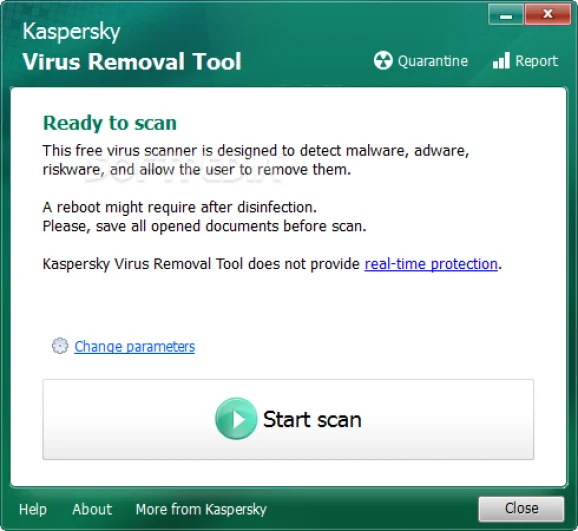
Simple configuration that allows you to choose the areas to scan
As stated in the main window, Kaspersky Virus Removal Tool is designed to detect malware, including viruses, Trojans, rootkits, adware or spyware. There is complicated configuration available, but the application’s settings allow you to select the areas of Windows to scan. By default, the list of targets to analyze includes the system memory, startup objects and boot sectors, with additional options to scan system drives and even all the computer’s volumes.
You only have to do one thing to initiate the analysis: press a button to start the scan. The process should not take too long to complete, but don’t expect it to be finished in seconds either. Kaspersky Virus Removal Tool reveals the found threats and allows you to send detected or suspicious items to quarantine.
Remove malware that has already reached your PC
Kaspersky Virus Removal Tool is perfect for selective malware detection, providing a reliable post-infection solution. Please keep in mind that it cannot ensure real-time protection, as it is dedicated to removing malware that has already reached a Windows PC. Should this be the case with you, this application might become a good way of counterattack.














Reviews
There are no reviews yet.