


It does not come as a surprise to see security products that also bundle tools related to PC optimization, along with antivirus protection and security-related functions.
360 Total Security is one good example in this regard, as it comes with an antivirus scanner, a desktop organizer, as well as several system performance and cleanup tools.
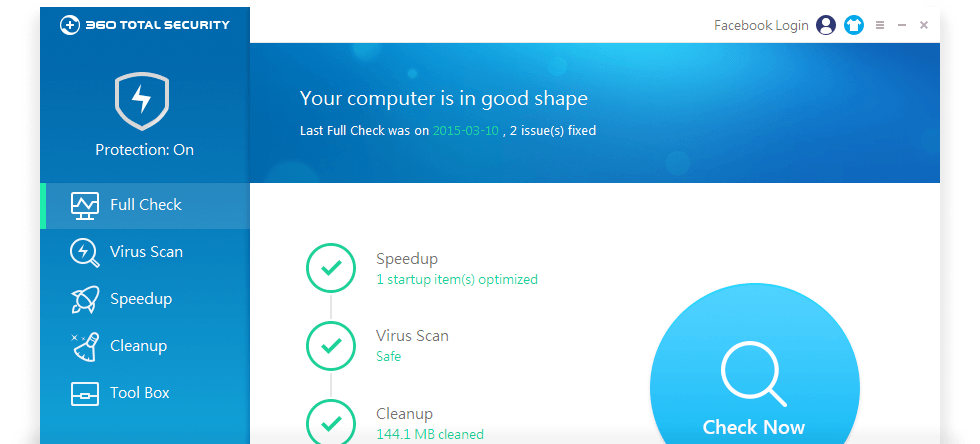
Run a full check to diagnose your system
A full system check is the way to go if you run the application for the first time, as it can assess the performance of the system and evaluate security-related issues.
360 Total Security starts scanning the system to find potential threats and offer suggestions related to performance enhancement and boot speed optimization. It also analyzes the system to find outdated drivers that can pose risks, invalid registry keys or junk files that need cleaning. The scanner can also detect sensitive system settings, missing files or abnormal system drivers.
Antivirus module and additional security tools
As for its antivirus protection module, 360 Total Security relies on multiple antivirus engines for virus and ransomware detection, providing real time protection against all kinds of threats.
On-demand scans can also be carried out. You can opt for quick, full or custom scans to find potentially dangerous content. Designed to provide extra protection, the security tools in the application’s Toolbox include a ransomware decryption tool, a document protector to avoid identity theft, a built-in firewall and a sandbox that allows you to execute any application in a safe environment.
The anti-tracker protection prevents your real identity from being disclosed while navigating online, while the online and PC activity can be easily erased with the Privacy Cleaner.
Built-in speedup and cleanup tools available
Aside from keeping the system safe, the other major goal of 360 Total Security is to make it run at top speed. It comes with a startup manager, a scheduled task viewer and suggestions on improving the system services, network and system performance. The boot time is also monitored to see the impact of the tweaks implemented.
Saving storage space by removing junk data and improving the overall response time of the system is possible with the cleanup tools in 360 Total Security.
An all-in-one solution for system protection and optimization
A full system check with 360 Total Security can detect major performance and security-related issues that need to be addressed.
It bundles a decent antivirus that offers basic malware protection, while also displaying advice related to system optimization and stability.
In fact, despite the name and considering the imbalance between the security protection and the system optimization tools, one might say that 360 Total Security is more a performance optimization tool and less of a security suite.














Reviews
There are no reviews yet.